Stop explaining the same thing eight times a month.
Capture's Chrome extension turns your clicks and voice into an editable guide - with screenshots - that your team will actually finish reading.
Free Chrome extension. No credit card required.
Three steps.
Thirty seconds.
Add the Chrome extension.
Install the free Chrome extension and create your account. Works on any website you log into: internal tools, SaaS apps, admin panels.
Click and talk.
Walk through the process and narrate as you go. We capture every click, scroll, screenshot, and word you say.
Get your guide and share it.
AI turns your voice and actions into a polished, editable guide. Share via link or PDF.
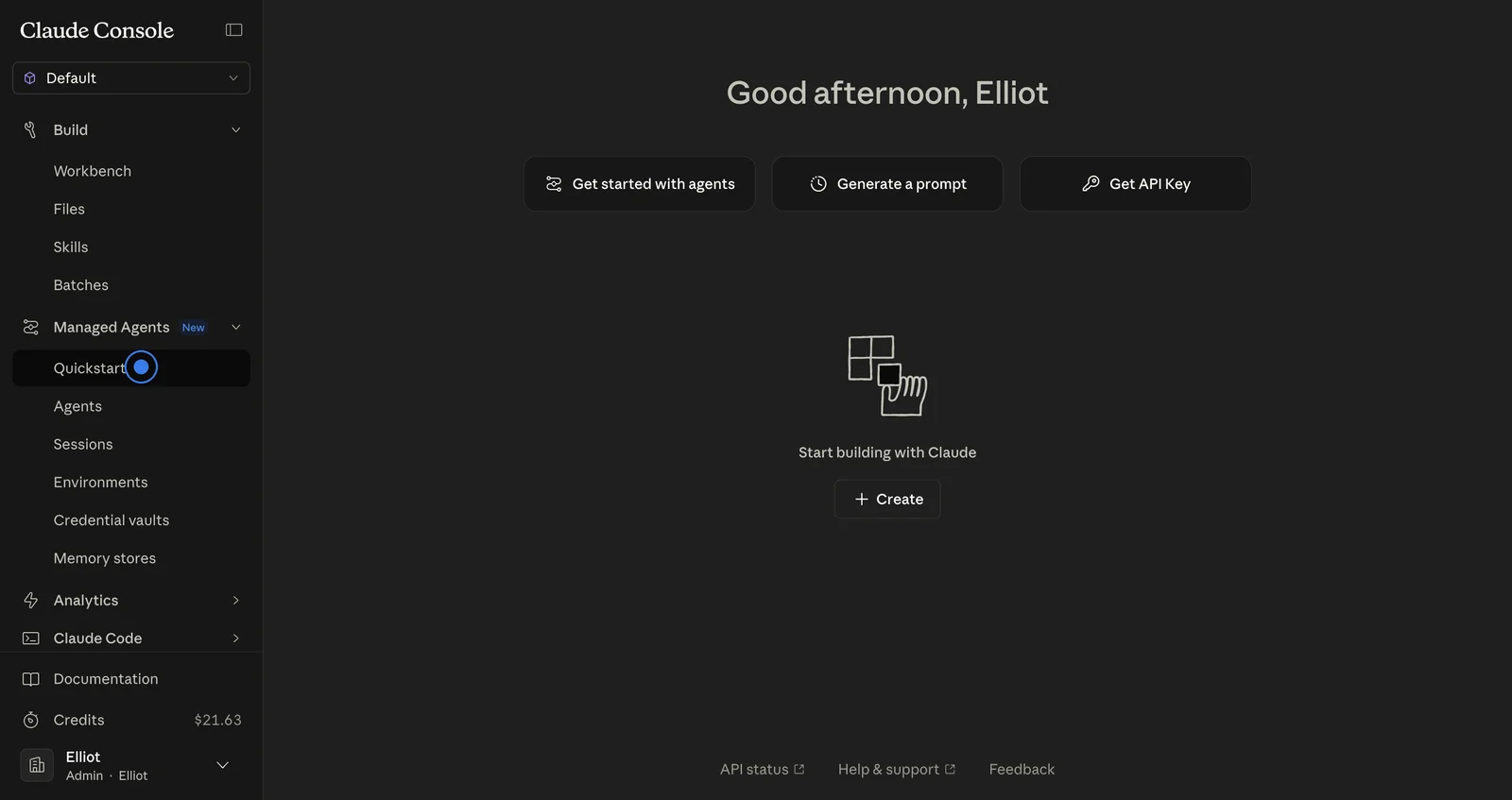
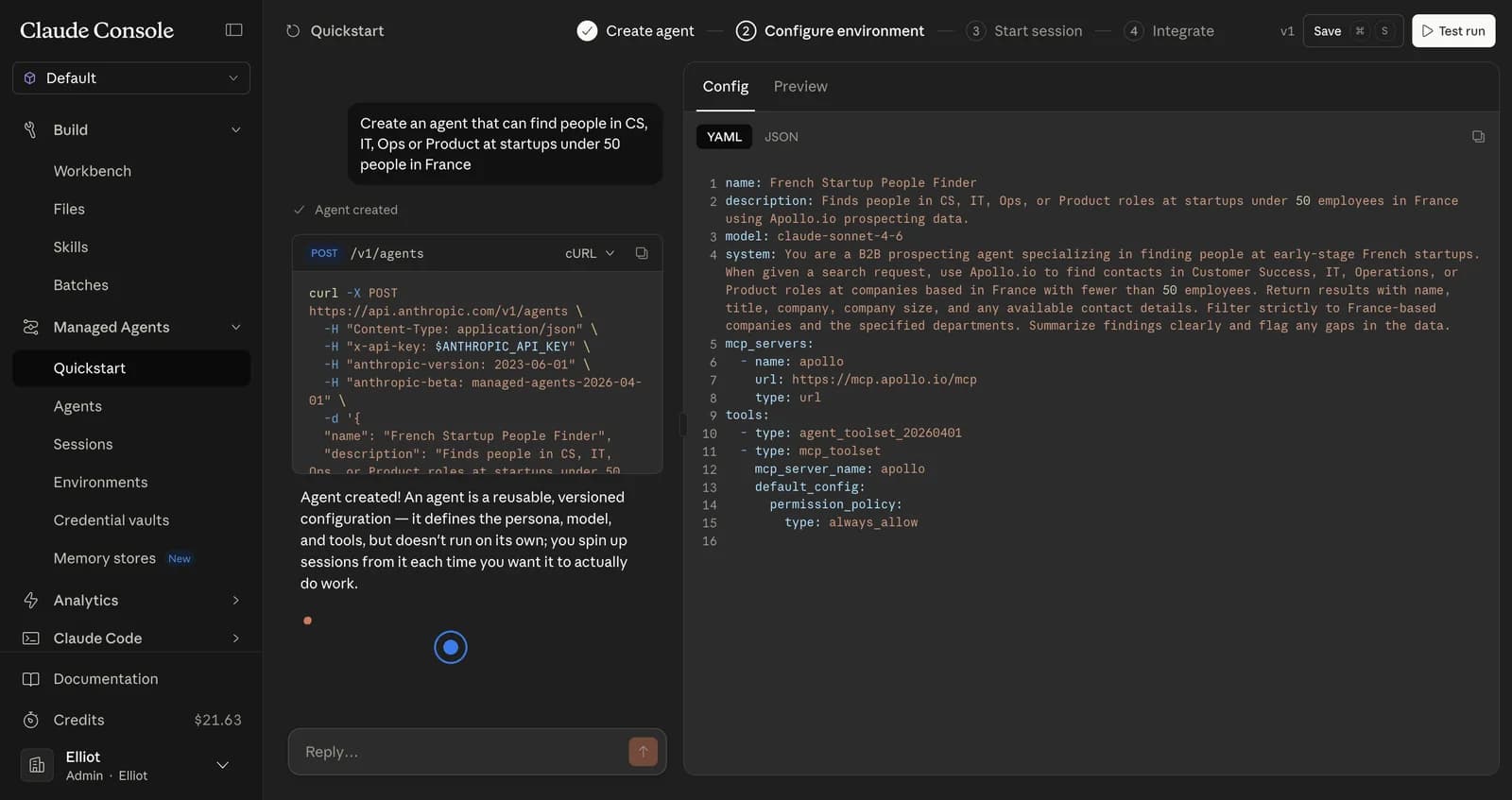
Creating an Agent in Claude Platform
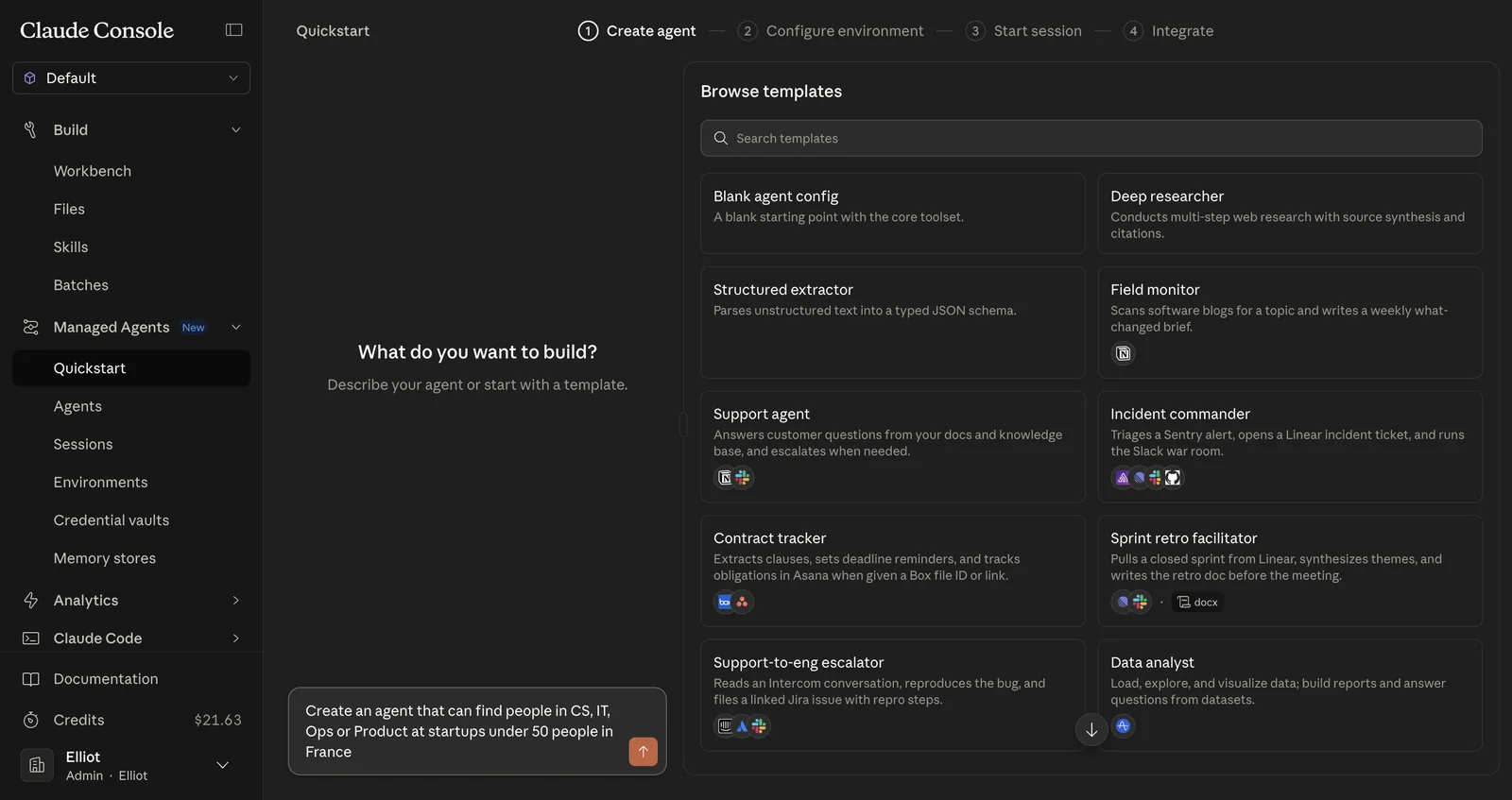
This guide walks through creating a new agent using the Claude Platform quickstart, describing the agent, and configuring its environment.
Starting the Agent Creation Process
Navigate to the Claude Platform dashboard and click Quickstart to begin.
For every team that
explains things twice.
Tired of explaining the same thing on a call eight times a month? Tired of recording videos nobody finishes? Written guides are searchable, skimmable, and translatable. Capture builds one from a single recording, so the answer lives somewhere your team can actually find it.
Onboard new hires without re-explaining.
Record the process once.
New joiners follow the guide at their own pace, on their first day.
Document features as you build them.
Walk through a flow once.
Ship the doc with the release, no separate writing sprint.
Answer the same question once.
Send a guide instead of repeating the same screen share.
Clients self-serve, you scale.
SOPs with screenshot proof.
Standard procedures captured pixel-perfect.
Audit-ready, reviewer-friendly, always current.
Everything you need.
Nothing you don't.
Voice narration.
Speak in any language. Capture aligns each sentence to the step you were on - no captions to write.
Stop taking screenshots.
Every click, scroll, and keystroke gets captured with a screenshot. Walk through the workflow once; the guide writes itself.
From recording to ready in 30 seconds.
Voice, clicks, and screenshots become a clean step-by-step guide written like a human - not a transcript. Edit if you want; most users don't.
Full editing control.
Modify text, reorder sections, add or edit screenshots. Everything is editable and you own the final guide.
Share it by link or export as PDF.
Add your logo and brand colors on Team plans. Readers don't need a Capture account.
Any language.
Capture localizes the guide so your French team reads it in French, your Spanish team in Spanish. No re-recording, no re-writing.
Recording is opt-in.
The extension stays asleep until you hit record. You see exactly what's being captured, in real time, and stop whenever you want.
You control access.
Guides are private by default. Share by link or email, with your team, or make public - your choice.
Simple. Transparent.
Save up to 17% with annual billing. Cancel anytime.
Free
Get started with basic guides
- +Up to 3 guides
- +Voice included
- +Multi-language support
- +Share via link or PDF
Team
Most popularCollaborate with your team (3-seat minimum)
Billed annually as $120/seat. 2 months free.
- +Unlimited guides
- +Voice included
- +Multi-language support
- +Share via link or PDF
- +Invite & manage users
- +Share guides with your team
- +Team folders
- +Branded guides
- +Priority support
Pro
Unlimited guides for one user
Billed annually as $200/user. 2 months free.
- +Unlimited guides
- +Voice included
- +Multi-language support
- +Share via link or PDF
Questions we hear often.
Your first guide,
in 30 seconds.
Add the extension. Sign up. Hit record.
Try it for freeFree Chrome extension. No credit card required.